QR-Creator
Design, customize, and share QR-codes
The ultimate app for designing, customizing, and sharing QR-codes. Create QR-codes for URLs, Wi-Fi logins, calendar events, locations, and much more. Easily customize every aspect of your QR-codes, or let QR-Creator randomize a masterpiece for you. Save, edit, and view your QR-codes at any time. Share and export in popular formats like JPEG, PNG, PDF, and SVG. All your QR-codes are synchronized and ready to be scanned from your devices.
Key Features
- Create QR-codes for URLs, Wi-Fi, calendar events, locations & more
- Fully customize every aspect of your QR-codes
- Let QR-Creator randomize a unique design for you
- Save, edit, and view your QR-codes at any time
- Export in JPEG, PNG, PDF, TIFF and SVG formats
- iCloud sync across all your devices
- Apple Watch companion for quick scanning
Screenshots
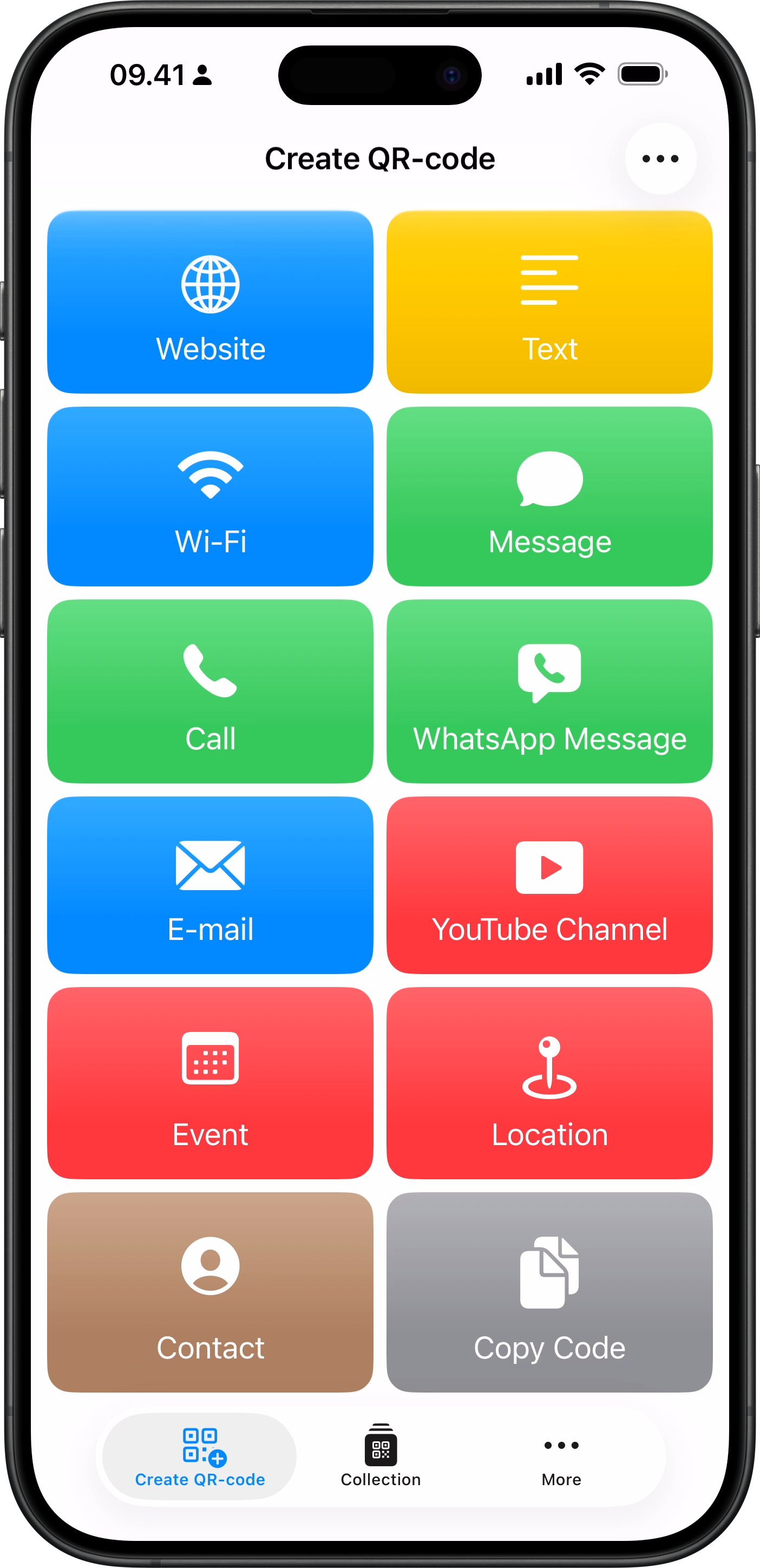
Every kind of QR-code
Websites, Wi-Fi, calls, messages, events, locations, contacts, and more — all just a tap away.
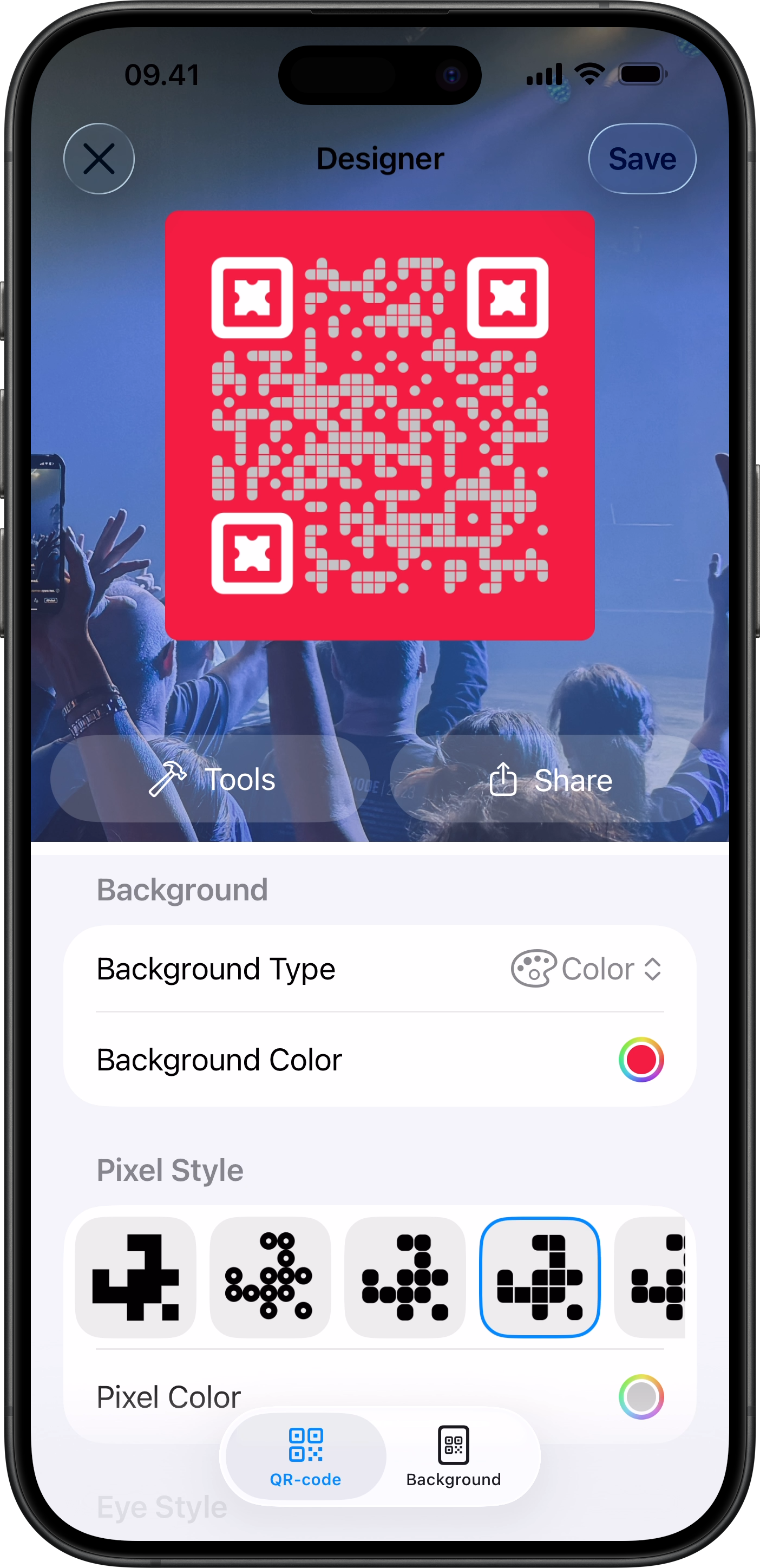
Make it yours
Customize colors, pixel styles, and eye shapes until your QR-code matches your brand or mood.
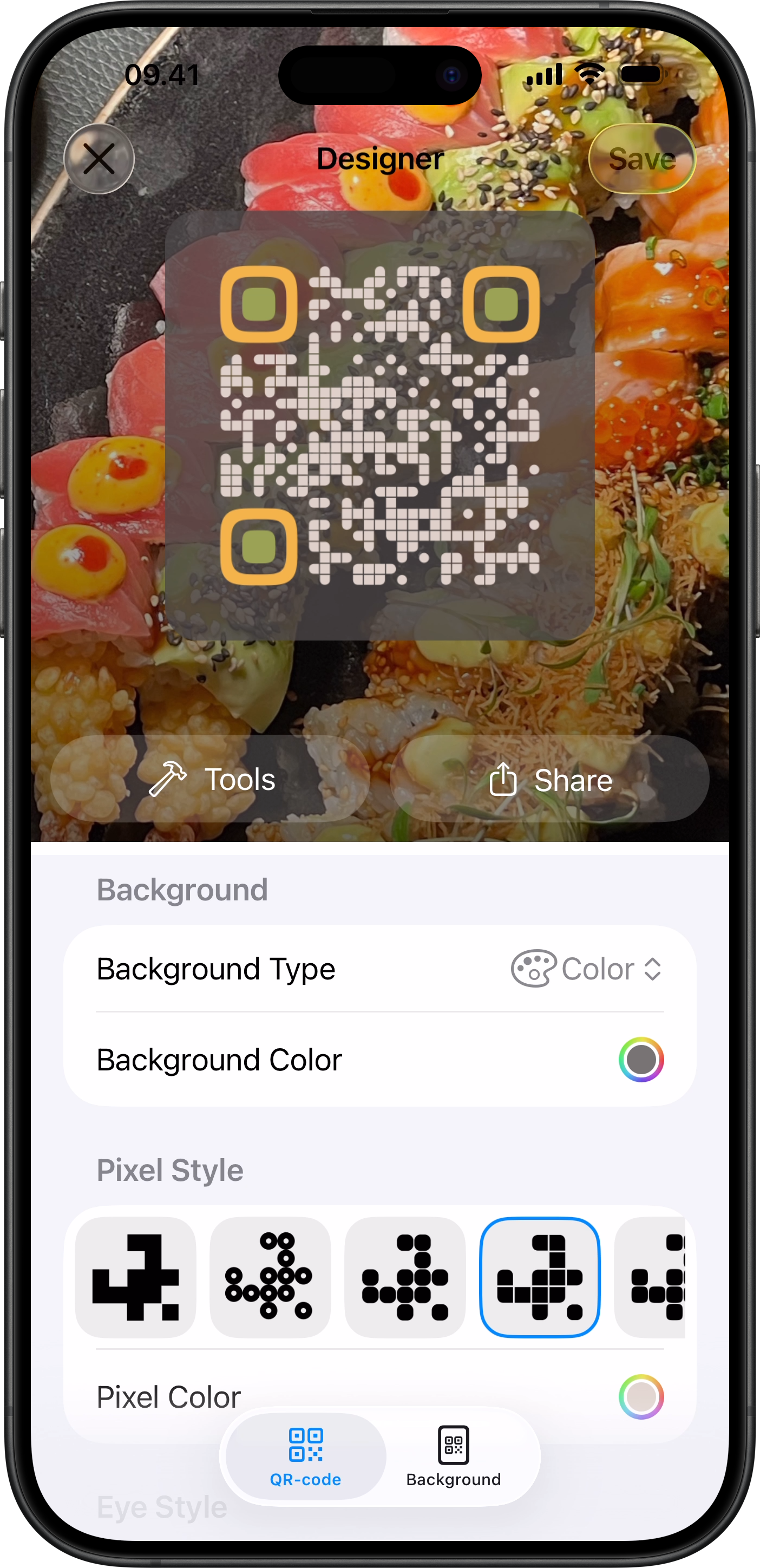
Photo backgrounds
Place your QR-code on any photo and fine-tune the design until it fits the scene.
Your collection
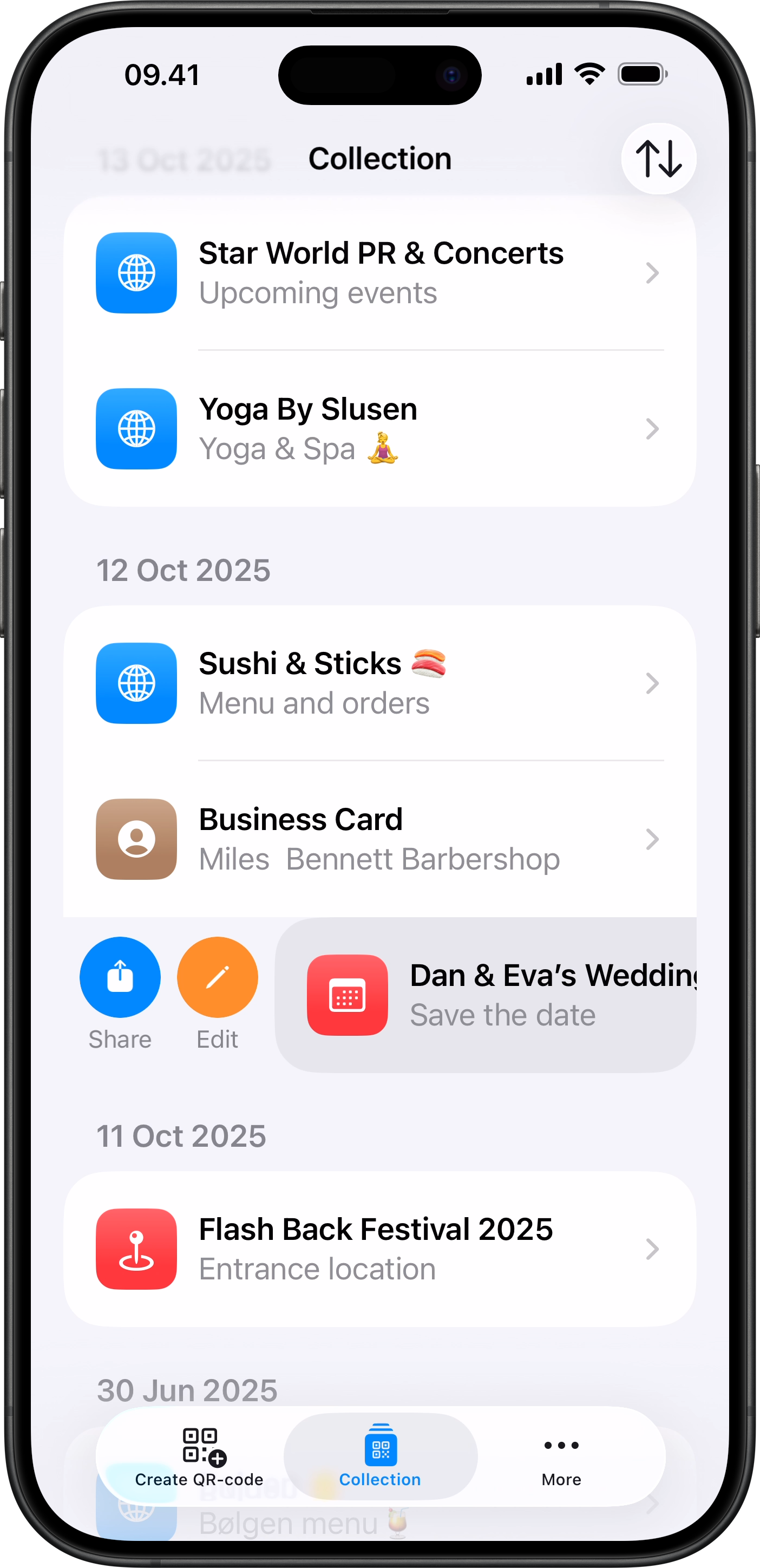
Every saved QR-code is organized by date and synced with iCloud — ready to edit or share.
Available on
For more information, see the Privacy Policy and Terms of Use pages.
If you have any questions about QR-Creator, please visit the Support page.